Example action
“We need to buy 3 kg of coffee.”
What Kibi does
Creates a purchase request. After the purchase and receipt confirmation, it adds stock and a related expense draft.
- Shopping needs stay separate from stock
- A person confirms receipt
KIBI PRO · LOCAL CRM + AI
The computer brings your business into one workspace. Kibi Pro gives you a voice interface. Together they turn scattered operations into a clear working environment.
Working prototype · In development
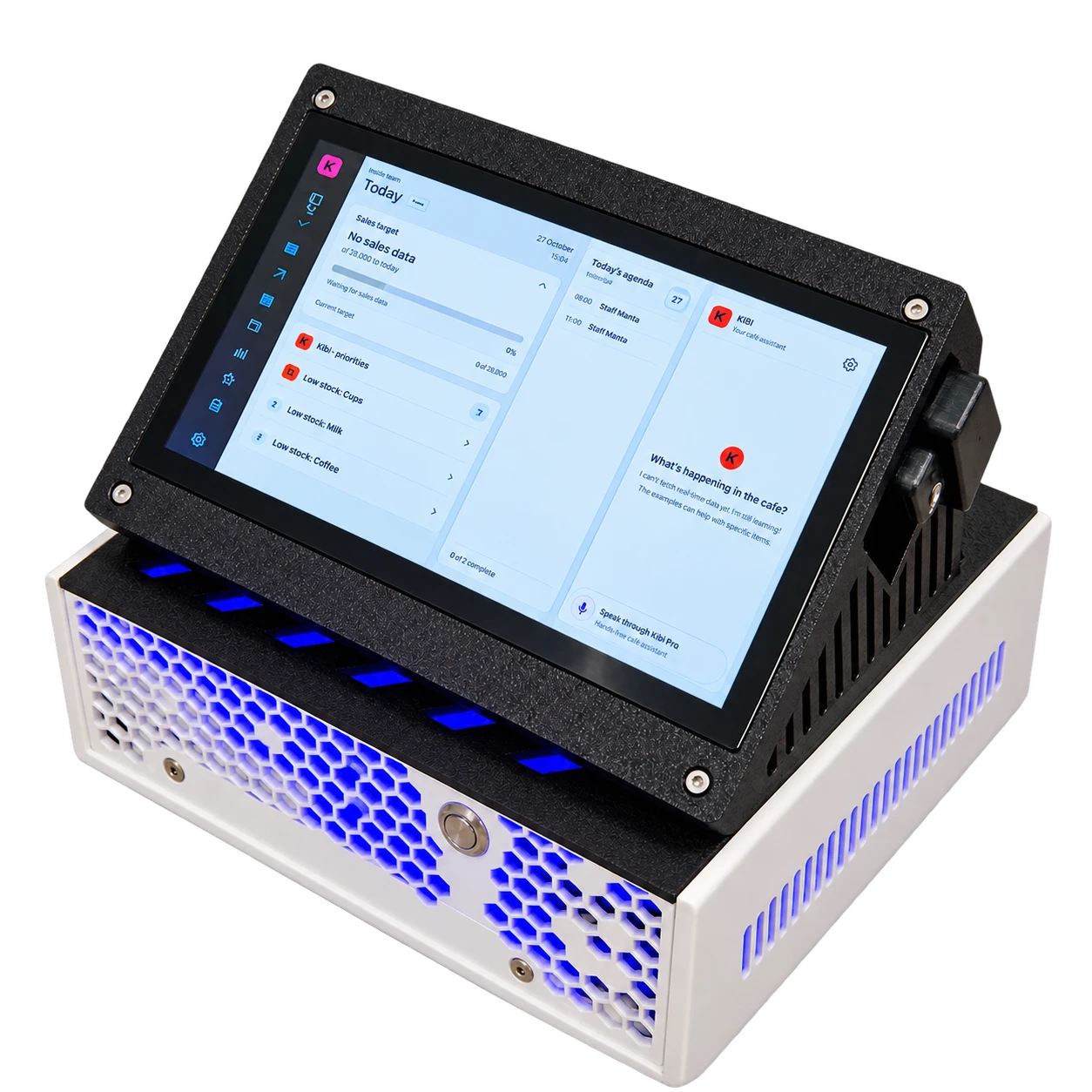
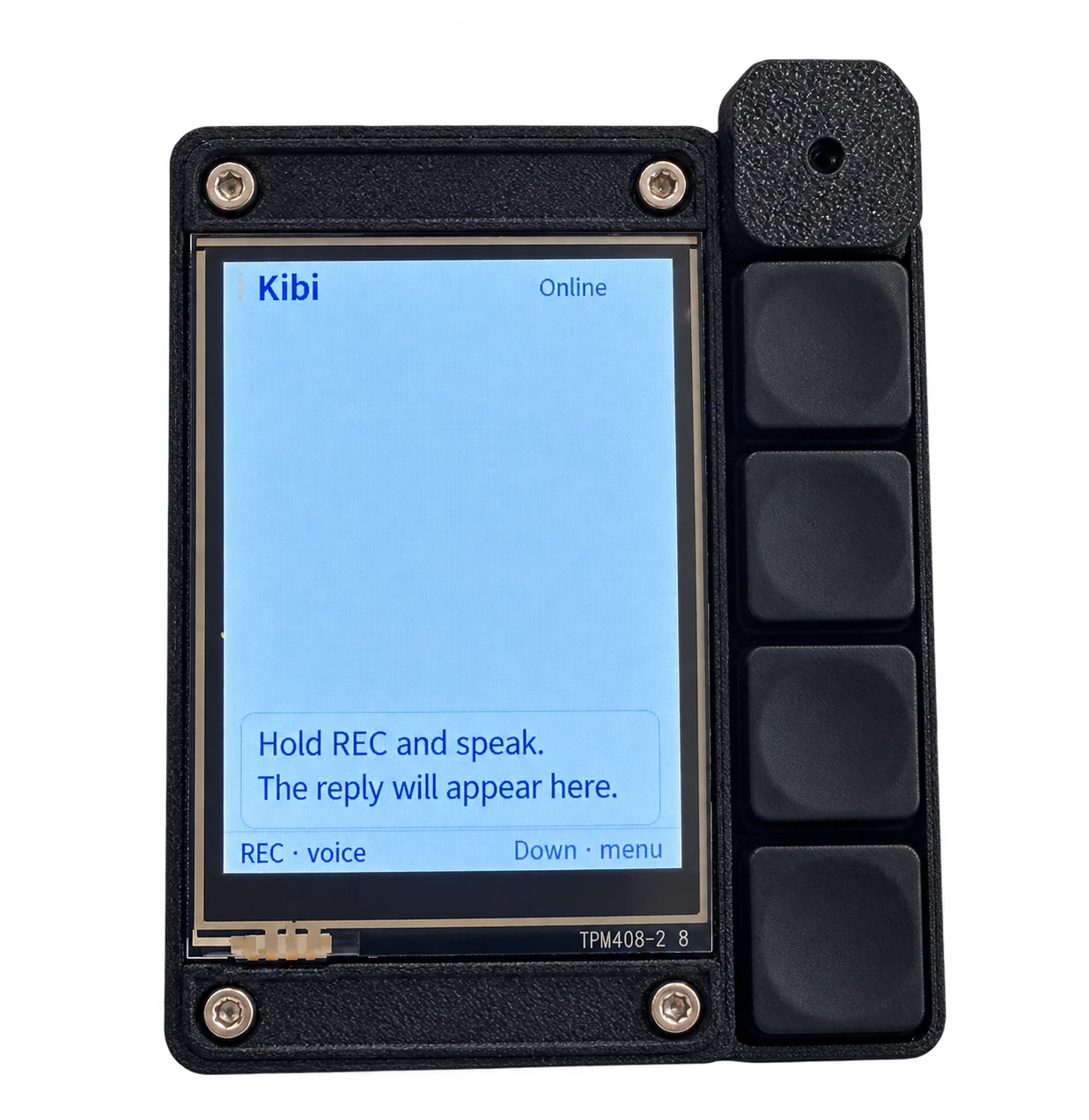
The business on your computer screen. Kibi within reach: voice, tasks and notifications through a dedicated device.
Local CRM + AI.
The day’s plan, shifts and priorities on one main screen.
THE NEXT STEP FOR AI
We are building an AI employee that keeps the business in focus 24/7: notices what matters, suggests the next step and helps carry a task through.
Target operation while the computer is on
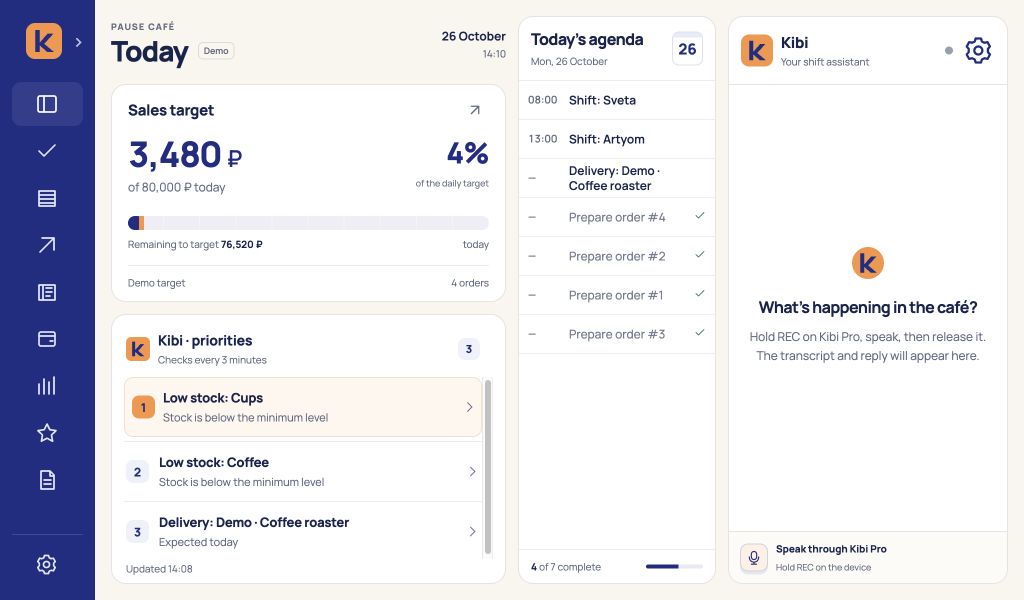
The local observer checks tasks, stock, deliveries and shifts. It selects up to three priorities so the owner sees what matters.
LOCAL STORAGE
The business database, documents and audio recordings are stored on the local computer. The observer reviews the business there too.
The text of each voice request goes to a cloud model, including any information you speak. The database and files are not automatically attached.
Tasks · stock · shifts
What needs attention
A clear next step
With permissions and safeguards
The observer suggests priorities. A person confirms inventory changes.
Start with what already works. Add functions around your business as it grows — modules and adapters let the range of workflows expand.
ALREADY IN THE WORKING PROTOTYPE
Example action
What Kibi does
Creates a purchase request. After the purchase and receipt confirmation, it adds stock and a related expense draft.
Example action
What Kibi does
Prepares a stock recount. Receipts, usage, write-offs and recounts are reviewed and confirmed.
Example action
What Kibi does
Records the spoken expense in the journal. Repeating the same request does not double the amount.
Example action
What Kibi does
Works with tasks, assignees and deadlines. Notifications appear on the computer and paired Kibi Pro.
Example action
What Kibi does
Shows revenue, expenses, operating result and product contribution. Choose a period and explore daily trends.
Prototype examples · Screens use demonstration data
A POS, marketplace, delivery service or your own API. New logic can be developed and added to the modular system. These are directions for expansion; ready-made connections are not in the prototype yet.
ONE PHILOSOPHY. TWO PRODUCTS.
Your functions. Your workflows. Your character. The device grows with the needs of a person and their business.
Translation, notes, calorie tracking — add the capabilities you need through code and AI-assisted coding.
New modulesTasks, inventory, purchasing and records shaped around your work. New APIs connect through developed adapters.
A modular systemCharacter, personality, backgrounds and animations. Make personal Kibi your own companion.
Your own KibiModules extend the functions. Ready-made external integrations and open installation of third-party plugins are future stages.
People need an AI assistant too.
That is why we made personal Kibi.
Three quick questions for a starting workflow. Your answers stay in the browser.
YOUR STARTING SETUP
It is currently a working prototype. We are developing the product and preparing first external deployments. You can discuss a workflow and an early deployment.
The workspace, database and local observer run on the computer. The current prototype needs a cloud model to understand voice requests.
The business database, files and audio recordings stay local. Speech is transcribed on the PC, then each request’s text goes to a cloud model for understanding. Any information you speak is included in that text. Database contents and documents are not automatically sent.
Ready-made external integrations are not in the prototype yet. The architecture is modular: API adapters and workflows can be developed around a business’s needs.
The local observer suggests priorities without changing records. Inventory operations require confirmation. A spoken expense with an amount and purpose is recorded immediately; different operations have their own rules and permissions.
Tell us how your business works. We can discuss what the prototype already does and what should be added for you.
Discuss Kibi Pro